File permissions in Linux
February 11, 2025 | 05:00 PM
A practical breakdown of how Linux file permissions actually work, from symbolic flags like rwx to numeric modes like 400 and 755. Useful for understanding why commands like chmod 400 key.pem matter and how Linux enforces security at the filesystem level.
Question 01:
While connecting to a remote server using SSH, the first step is to change the permissions of the key-pair file using the command :
chmod 400 Instance2.pem Here, chmod command is used to change permissions of the specified file. But what's the use of 400?
Question 02:
When you run ls -la it lists all directories and files present in the root, but what's with the drwxr-xr-x@ and -rw-r--r--@?
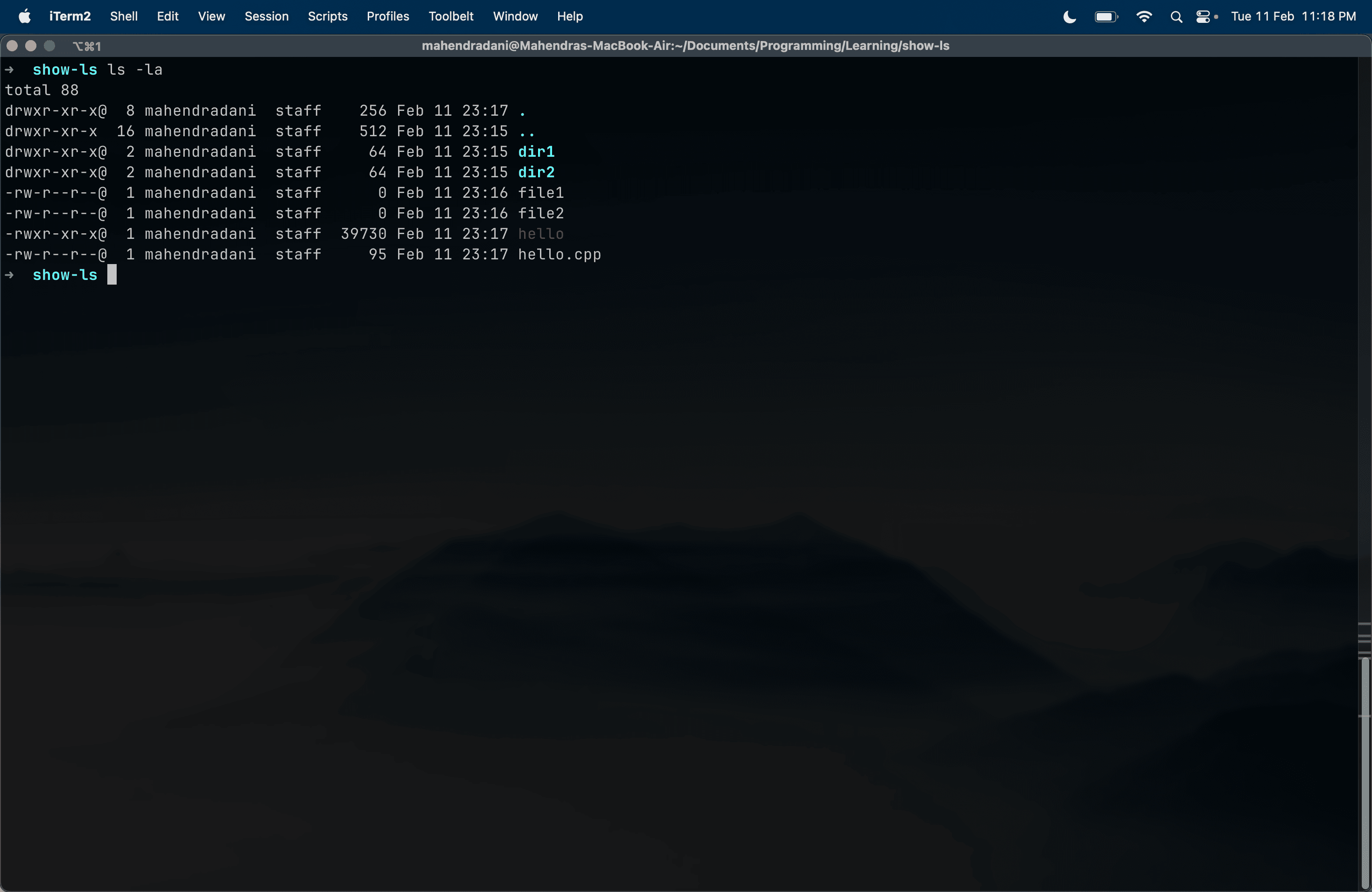
...and the solution is (drumroll) File system in Linux.
Each directory/file in Linux has associated permissions for users. Users are categorized as follows :
- owner : The owner of the file/dir.
- group : The group that owns the file/dir.
- others : Anyone except the owner and group.
Each type of user has three permissions for any file/directory :
- read(r)
- write(w)
- execute(x)
Okay! But what does drwxr-xr-x@ or -rw-r--r--@ mean?
As there are 3 permissions for 3 types of users, we can allocate 3 cells to each users. Each cell can have a value 'r', 'w', 'x' or '-' if the user has no permissions.
Note that for each user the sequence is same
rwx.
Then, for each cell we can store 1 if the user has that permission else 0. Thus we convert the chars to binary system.
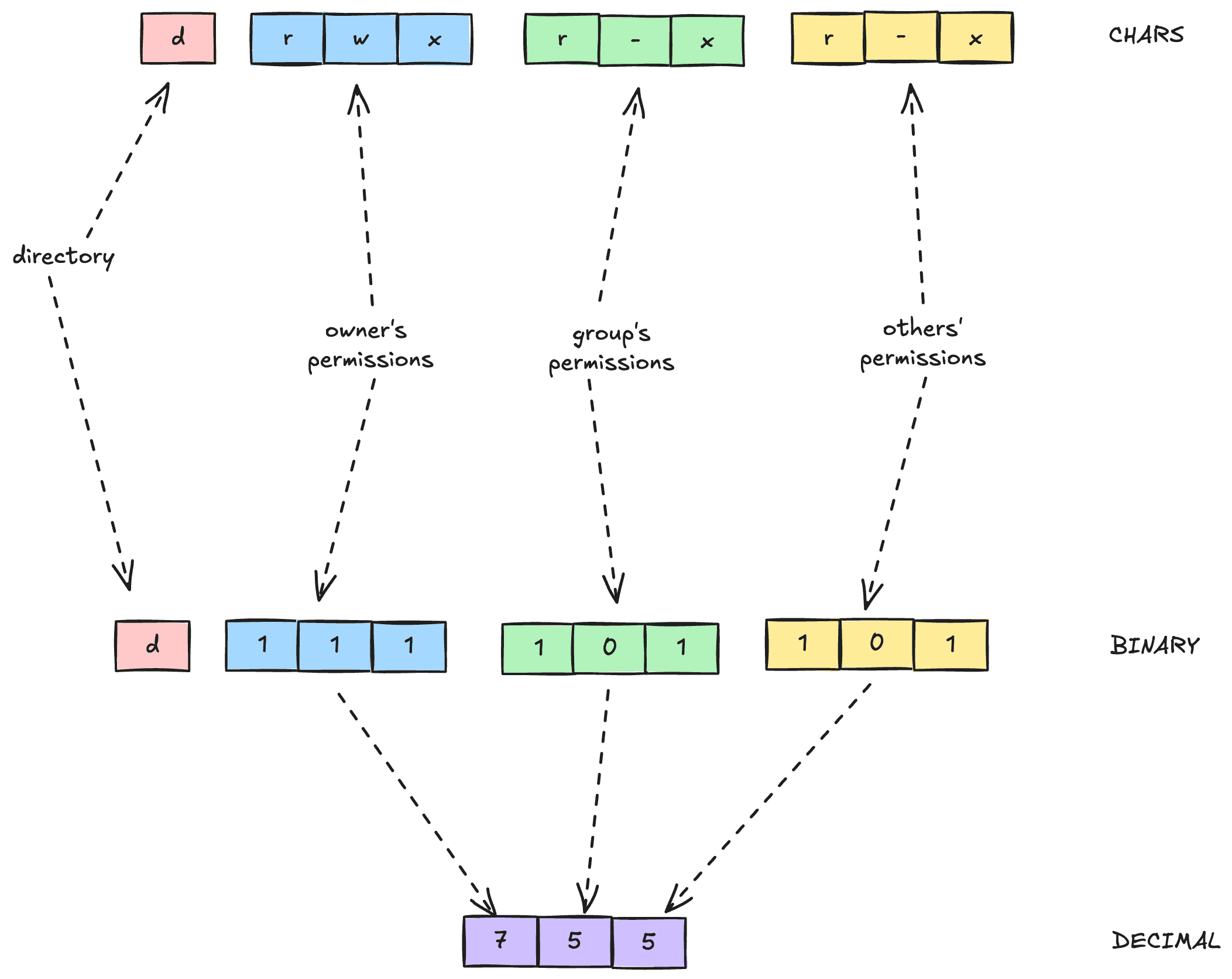
In 3 bits, we can store values from 0-7 in decimal system, and for three types of user it turns combinations of three values that represent permissions.
As shown in the figure above:
- owner: permissions
rwxwhich in binary system is represented by 111 and in decimal system is 7. - group: permissions
r-xwhich in binary system is represented by 101 and in decimal system is 5. - others: permissions
r-xwhich in binary system is represented by 101 and in decimal system is 5.
Combining the result for all types of users gives the three-digit number 755.
Thus, all combinations for permissions can be signified with a 3-digit number instead of drwxr-xr-x@.
Combining back to Question 01, can you find out which permissions does a file have with code 400?
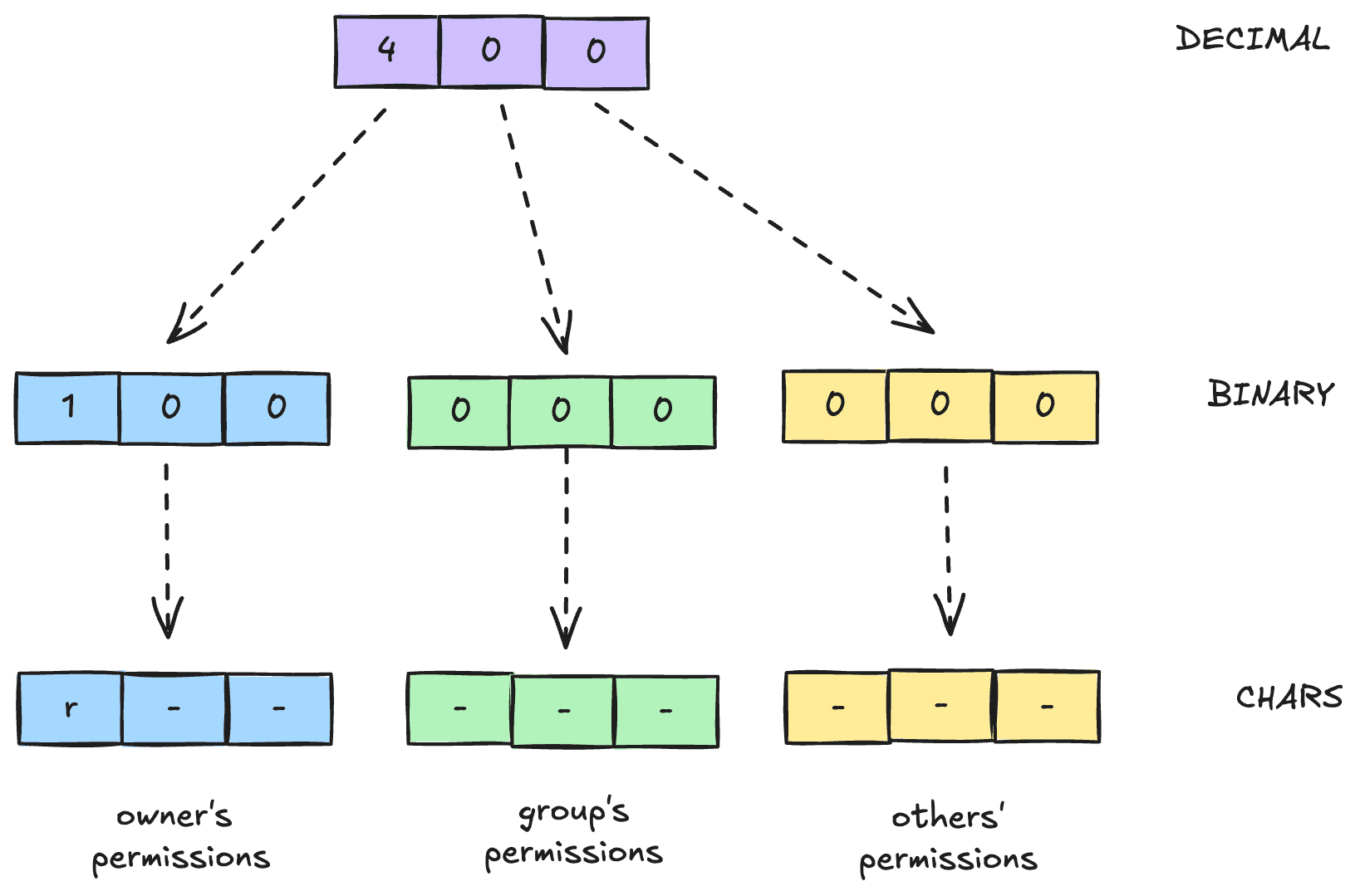
Observe that, code 400, implies that only owner has read access to the file.
It's significance is that, the Instance2.pem contains SHH key-pair which should be stored securely, hence it has only read access.
It's amazing, how much of thought must have went into designing a file system that supports multiple users using the same machine simultaneously with multiple file permissions. And the complexity is reduced to three digit numbers. It's secure, flexible and user-friendly.
Okay! Great! But you don't know what chmod command is used for, right? :p